
WhatsApp message templates — categories, variables and approval
What a message template is, the three categories Meta uses, how variables and samples work, why templates get rejected, and when you need one.
On this page
A message template is a message whose wording Meta has reviewed and approved in advance. Templates are the only thing a business may send to a customer outside the 24-hour customer service window — which makes them the only way to start a conversation at all.
A template is not a marketing tool by nature. An appointment reminder, a delivery notification and a one-time passcode are all templates, and so is a promotion.
The three categories
Meta requires every template to declare a category, and the category decides both how it is reviewed and how it is billed.
| Category | What it is for | Typical examples |
|---|---|---|
| Utility | Something the customer asked for or transacted on | Order confirmation, appointment reminder, delivery update, receipt |
| Marketing | Anything promotional, and anything that does not clearly fit the other two | Offers, re-engagement, announcements, newsletters |
| Authentication | One-time passcodes only | Login codes, verification codes |
Choosing the wrong category is one of the most common reasons a template is rejected. A "reminder" that also mentions a discount is a marketing template, and submitting it as utility will fail review.
Structure
A template is made of up to four parts:
- Header — optional; a short line of text, or an image, video or document.
- Body — required; the message itself.
- Footer — optional; small print, no variables.
- Buttons — optional; quick replies, a URL, or a phone number.
Variables
Variables are numbered placeholders — {{1}}, {{2}} — filled in at send time.
Two rules cause most of the trouble:
- Every variable needs a sample value at submission. Meta reviews the template with your samples in place, so a template submitted without them is rejected without being read.
- The count must match at send time. A template with three variables sent with two values does not silently render a blank; it fails, or worse, ships
{{3}}to a customer as literal text.
Juno resolves templates on the server rather than assembling them in the browser, and the variable-count check happens there — which is the thing standing between a customer and a literal {{2}}.
Languages
A template is approved per language. "Appointment reminder" in English and in Chinese are two approved templates that share a name, and each is reviewed separately. Sending to a customer in a language you have not had approved is not possible — plan the language set before you need it.
Approval takes real time
Meta approves on its own schedule: usually hours, sometimes days. This has a scheduling consequence that catches every new team:
The list of templates you have an hour after connecting your number is not the list you will have tomorrow. Do not plan a launch around a template you submitted this morning.
Templates you already have
A number that has been in business use already has approved templates, and they live on Meta and nowhere else. When you connect a WhatsApp Business Account to Juno, its existing templates are imported automatically, and Templates → Sync re-runs the import on demand.
Both halves matter. Without the import, the console is empty on day one, and nobody whose 24-hour window has closed can be reached at all. And because Meta approves on its own schedule, the on-demand sync is how newly approved templates appear without reconnecting anything.
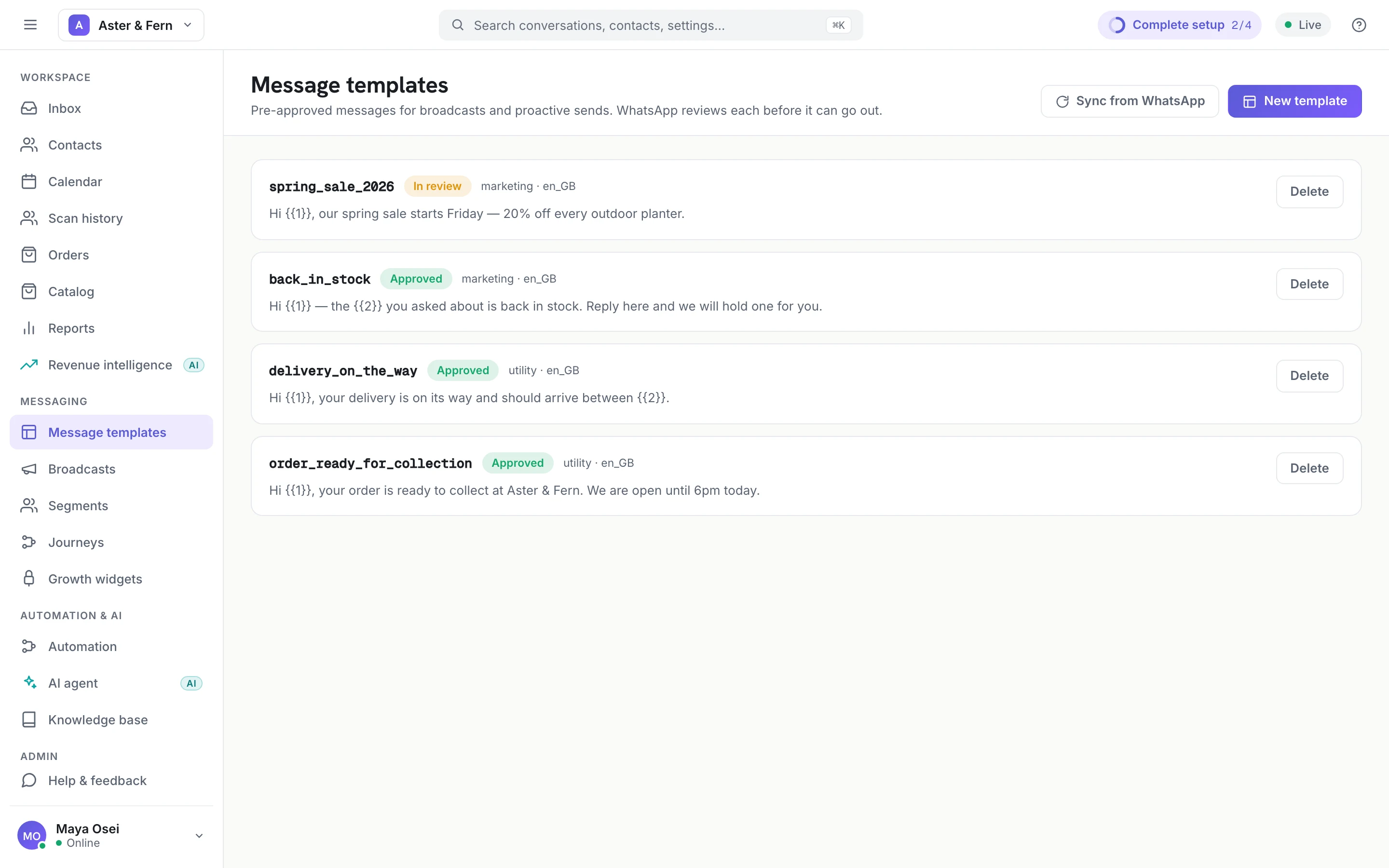
A template we cannot represent — one with no body, or an unrecognised category — is skipped and counted, so a partial import shows up as a number rather than as a quietly short list.
When a template is rejected
The common causes, roughly in order:
- Wrong category (see above) — most often marketing content submitted as utility.
- Missing or meaningless variable samples.
- Variable placement — a body that starts or ends with a variable, or two adjacent variables.
- Content policy — prohibited categories, or a claim Meta will not carry.
- Formatting — unbalanced markup, or a header that is too long.
A rejection is not a strike against your number. Fix and resubmit.