
Members, roles and teams
Inviting your team, what each built-in role can do, and how to give someone exactly the access they need and nothing more.
On this page
Everyone who answers customers needs their own login. Sharing one is the shortcut that costs you the ability to say who did what, and it is the first thing to fix.
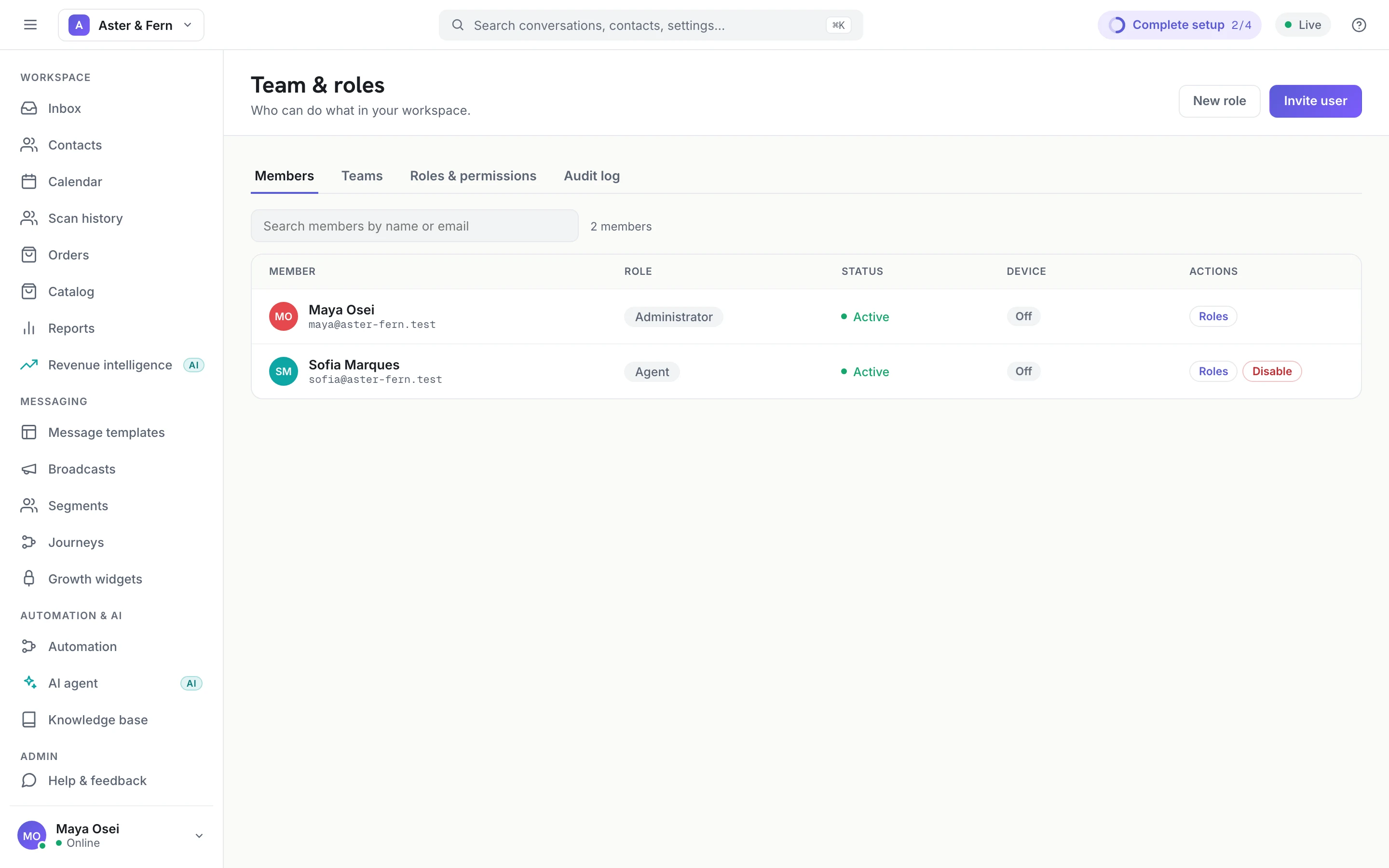
Inviting someone
Team & roles → Invite user. You give an email address, a name and a role; they get a link, set their own password, and land in the workspace.
Two things to know about the invite:
- The role is chosen at invite time and can be changed afterwards. Start people lower than you think; widening access later is a click, and narrowing it after an accident is a conversation.
- An invite binds to whoever holds that address. Send it to the person's own work address, not a shared mailbox.
The three built-in roles
| Role | For | Can |
|---|---|---|
| Front Desk | Someone who only answers | Read and reply to conversations (including AI drafts and taking over from the AI agent), see and update contacts, use canned replies |
| Agent | A full-time member of the support or sales team | Everything Front Desk can, plus assigning, notes, labels, approving or undoing the AI agent's actions in a conversation, the knowledge base and their own reports |
| Administrator | The one or two people who run the workspace | Everything, including billing, channels, roles and the audit log |
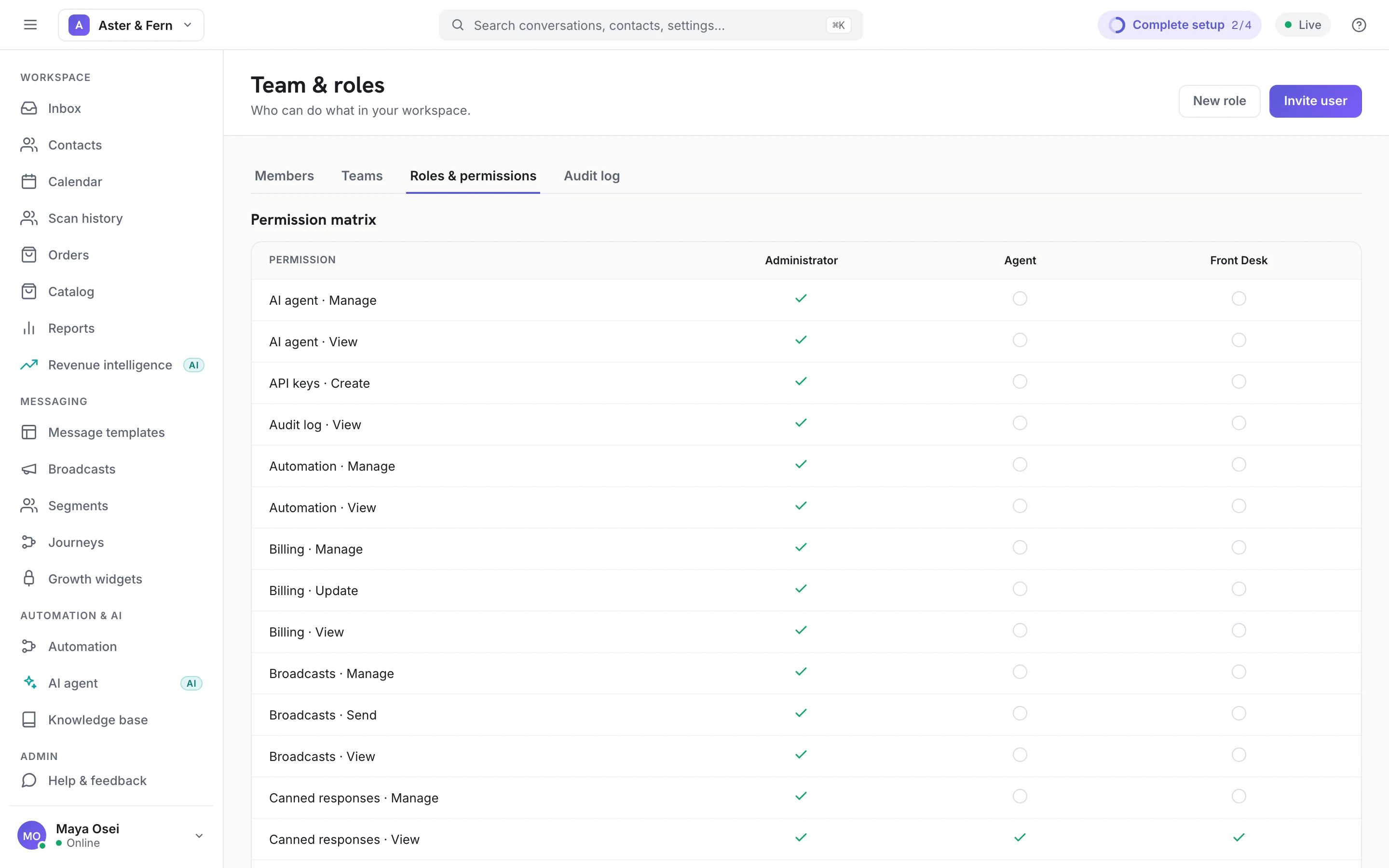
The matrix is the definition — it is generated from the roles themselves, so it is never out of date with what the system actually enforces. It is also the fastest way to answer "why can they not see that?".
Custom roles
If none of the three fits, New role creates one and you tick the permissions it holds. The useful cases are narrow rather than clever:
- A marketer who needs broadcasts and templates but should not read every customer conversation.
- A bookkeeper who needs reports and billing and nothing else.
- A contractor who needs the inbox for two weeks and nothing else, ever.
The three built-in roles cannot be edited or deleted — they are the floor the system relies on. Copy the closest one into a new role instead.
Teams
A team is a named group of members — Sales, Support, the Tuesday shift. It exists for routing: an automation rule can assign a conversation to a team and let it round-robin among whoever is available, rather than naming one person who might be on leave.
Teams do not grant permissions. Somebody's access comes from their role; the team decides what reaches them.
Removing someone
Disable the member rather than deleting them. Their conversations, notes and audit trail stay attached to a real person instead of becoming anonymous, and the account cannot sign in. Deletion is for a mistake — an invite to the wrong address — not for a departure.
Two things to do the same day someone leaves: disable the member, and check trusted devices for any device of theirs that is still allowed in.
A working default
- Administrator: two people. One is a single point of failure; four is nobody being responsible.
- Everyone else: Agent, unless there is a reason.
- Front Desk for part-timers and anyone covering a shift.
- Review the list when someone joins or leaves, and not otherwise — a quarterly audit nobody does is worse than a habit that fires at the right moment.